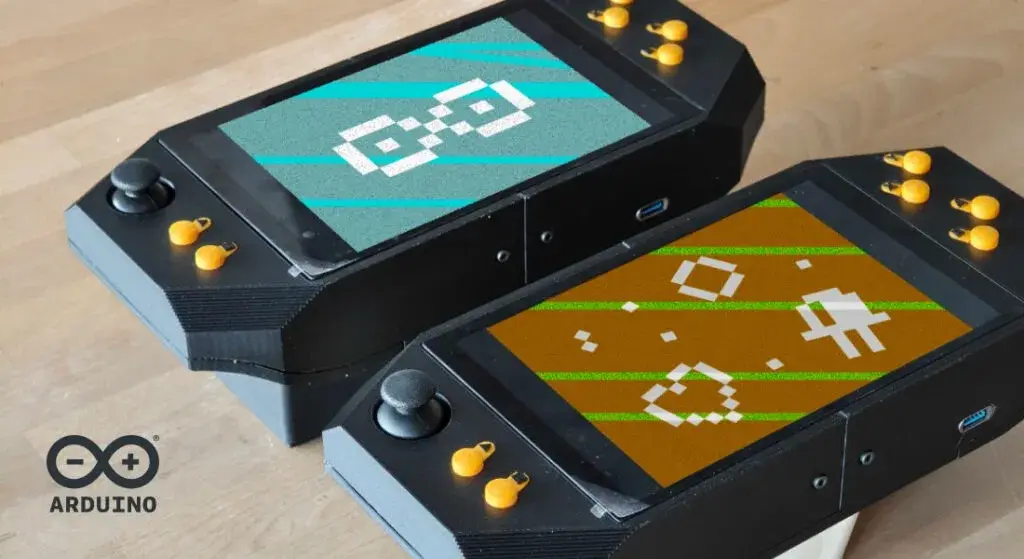
At first, Zalmotek's project looks like the ideal maker promise: a handheld capable of Game Boy, GBA, NES, SNES and Genesis emulation, built from retail modules with no custom PCB and no soldering.13
Opening the repository changes the character of that promise almost immediately.
Three button modules all ship with the same I2C address and have to be renumbered, while the 8-inch DSI panel is natively portrait even though the console is held in landscape; the microcontroller reads controls, Bridge carries them into Linux, a Python daemon turns them into a gamepad, and RetroArch lives inside a kiosk session whose rotation strategy changes between menu and gameplay.3
In other words, the complexity did not disappear. It left the soldering iron and moved into the interfaces between modules.
No PCB
Arduino highlights the project's accessible hardware choice: every component can be bought separately and joined with existing cables or connectors. The 3D-printed enclosure and buttons are the only genuinely custom physical parts in the build.1
The list is still substantial: an UNO Q 4GB, Media Carrier, Waveshare 8-inch DSI touchscreen, three Modulino Buttons, one Modulino Joystick, a 3S UPS module with three 18650 cells, a small speaker and a USB-C adapter carrying power and data.23
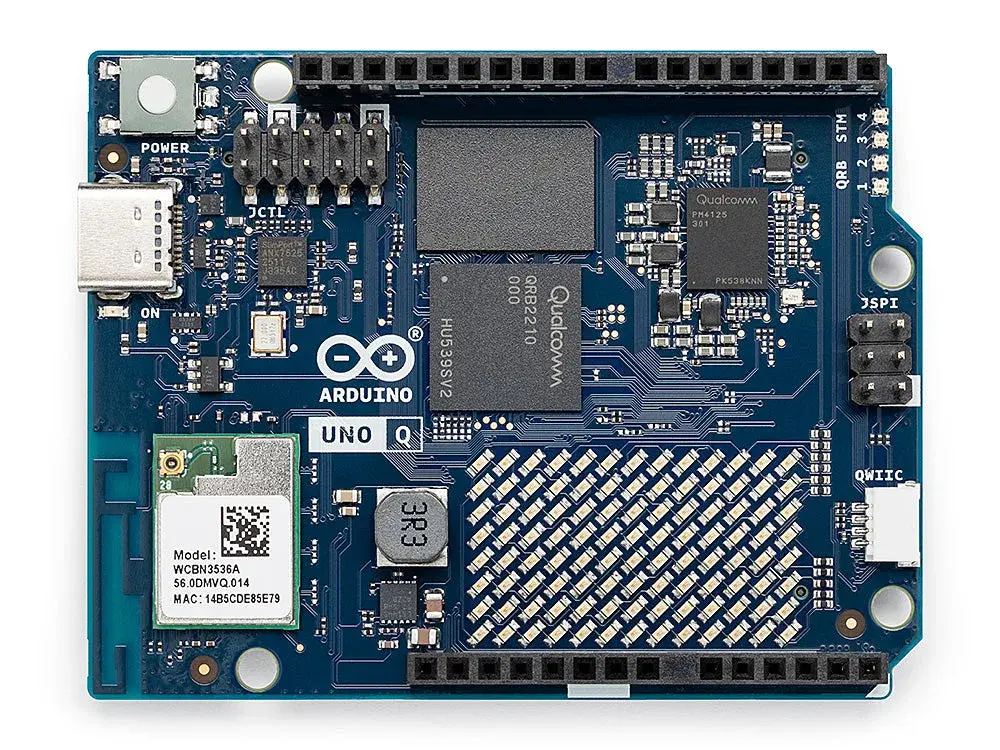
On one board, the Qualcomm Dragonwing QRB2210 supplies four Cortex-A53 cores up to 2 GHz, 4 GB LPDDR4 and 32 GB eMMC for Linux, while an STM32U585 Cortex-M33 up to 160 MHz handles work closer to hardware.4
Modularity removes one very specific layer of work: nobody has to design a motherboard, route a PCB, order prototypes and solder the components, which shortens the path from parts list to a working copy.
The shortcut also means accepting the shapes, connectors and behaviours of modules that were never designed together as one handheld console.
Two brains
This is where UNO Q becomes more interesting than a small Linux computer alone.
The buttons and joystick sit on a Qwiic bus controlled by the STM32, which reads inputs with predictable timing before Arduino Bridge carries them into Linux; a Python daemon exposes a standard uinput device, leaving RetroArch with an ordinary Linux gamepad and no emulator-specific controller patch.13
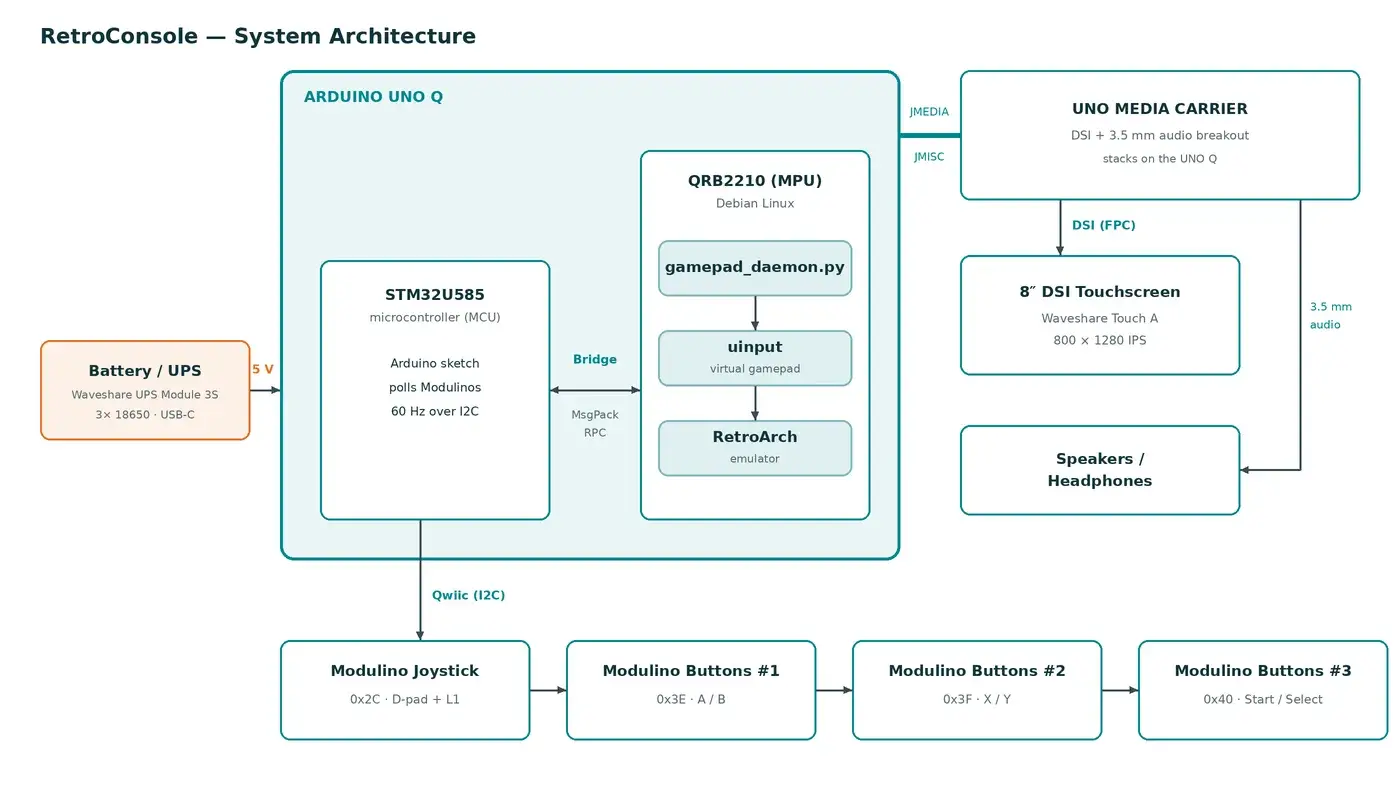
That division puts each problem in a sensible place. The MCU does not need to run RetroArch, while Linux does not have to poll physical buttons through a fragile application loop; each side keeps the job it is equipped to handle.
Address collision
The buttons provide the clearest example.
The console uses three Modulino Buttons boards to produce six actions: A/B/X/Y/Start/Select. Each board physically carries three switches, but Zalmotek only maps the two outer switches because the middle button becomes too crowded in the final geometry.3
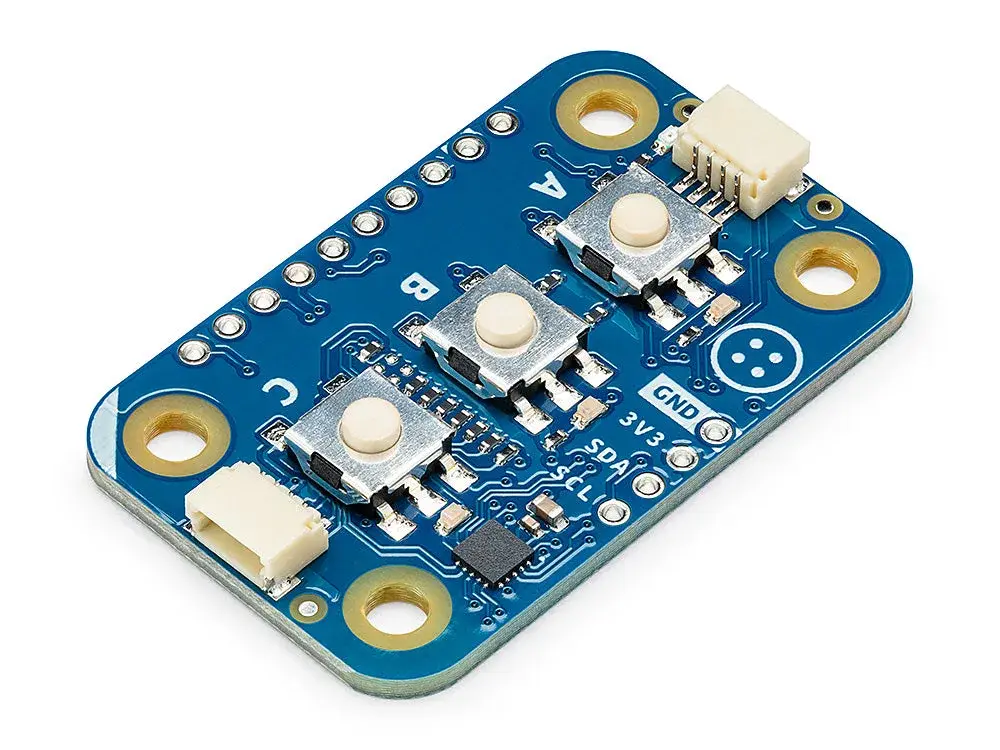
More importantly, all three boards ship at the same I2C address, 0x3E; unchanged on one bus, they collide. The repository ships a small program that moves the extra modules to 0x3F and 0x40, alongside a bus scanner and a recovery routine for collisions.3
A PCB designed specifically for the console would solve this once in its electrical design. Generic modules push the problem back into assembly, where it has to be documented for every builder.
The practical sequence is closer to plug, configure, verify, play, which is a different promise from a fully integrated consumer device.
Portrait panel
The display repeats the pattern.
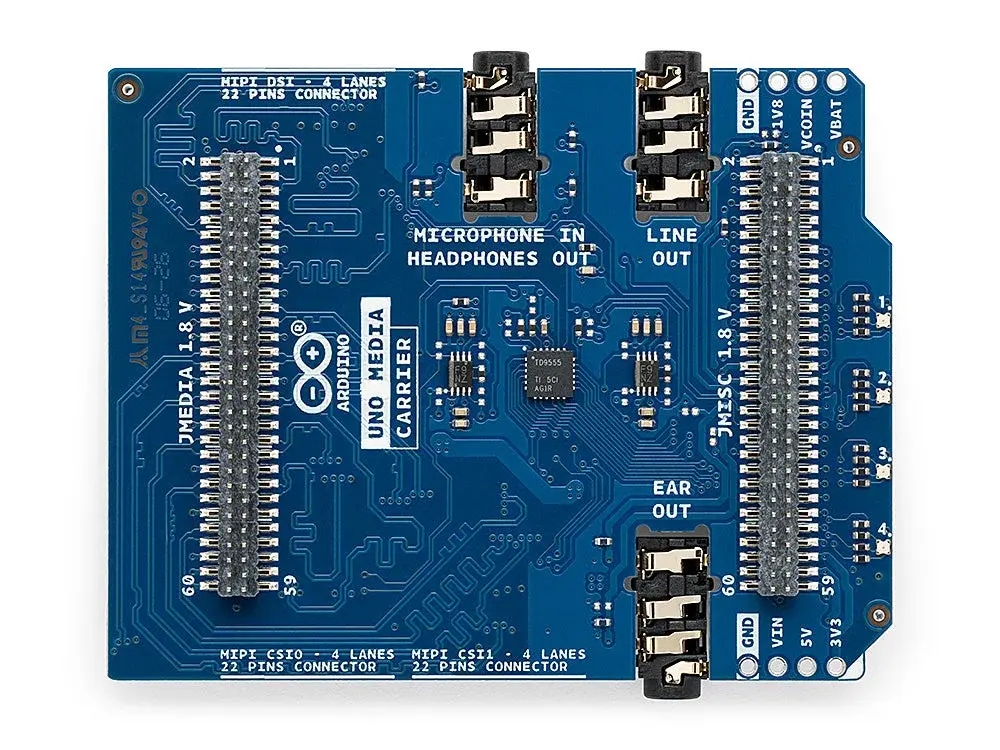
The Media Carrier exposes the MIPI DSI and audio connections needed by the build without forcing the maker to design an interface board,13 while the selected 800 × 1280 Waveshare panel introduces another constraint because its native geometry is portrait and the console is held horizontally.
Xorg rotation works for menus, yet the repository documents a tear line during horizontal scrolling; Zalmotek therefore uses two rotation strategies, leaving Xorg to rotate the menu and returning the panel to native orientation during gameplay so RetroArch can rotate content inside its own swapchain.3
A service watches RetroArch's state and switches between those modes, while Vulkan, vertical sync and several frame-timing options keep the standard screen-and-carrier combination from producing an obvious visual penalty.3
None of that appears in the finished-product photograph, although somebody still had to locate the tearing problem and decide which graphics layer should own rotation at each moment, in exchange for avoiding custom display hardware and soldered wiring.
Editable shell
The mechanical side is more open than many 3D-printed projects.
The repository contains print-ready STL files together with editable STEP sources for the enclosure, mounts and controls.3 A builder who changes the screen, moves a button or adapts the shell to another printer is not forced to reverse-engineer a frozen mesh.
That flexibility also explains why the console is unapologetically large: Arduino itself calls the finished object “a little chunky”, and the cost of building from modules is visible in connectors, stacked boards and batteries that each keep their own spatial packaging.1
Accessible, not simple
The published setup lists Game Boy/GBC, Game Boy Advance, NES, SNES and Sega Genesis as running at full speed.3 Emulation performance is not the technical miracle here; a 2 GHz Cortex-A53 has little reason to struggle heroically with those systems.
The more interesting demonstration concerns reproducibility.
A hardware build can become reproducible without every detail becoming trivial: removing the custom PCB opens this console to someone who can buy modules, print parts and follow a procedure, while the repository takes on more of the burden by explaining I2C addresses, Linux services, DSI rotation, audio, USB roles and diagnostic tools.3
By contrast with a fully integrated design that can be smaller, cleaner and cheaper at production scale, a modular architecture may be thicker and stranger while remaining rebuildable from accessible parts and modifiable without redesigning all the electronics.
UNO Q RetroConsole makes a narrower, more useful point about hardware: when specialised fabrication disappears, everything that replaces it needs unusually good documentation.