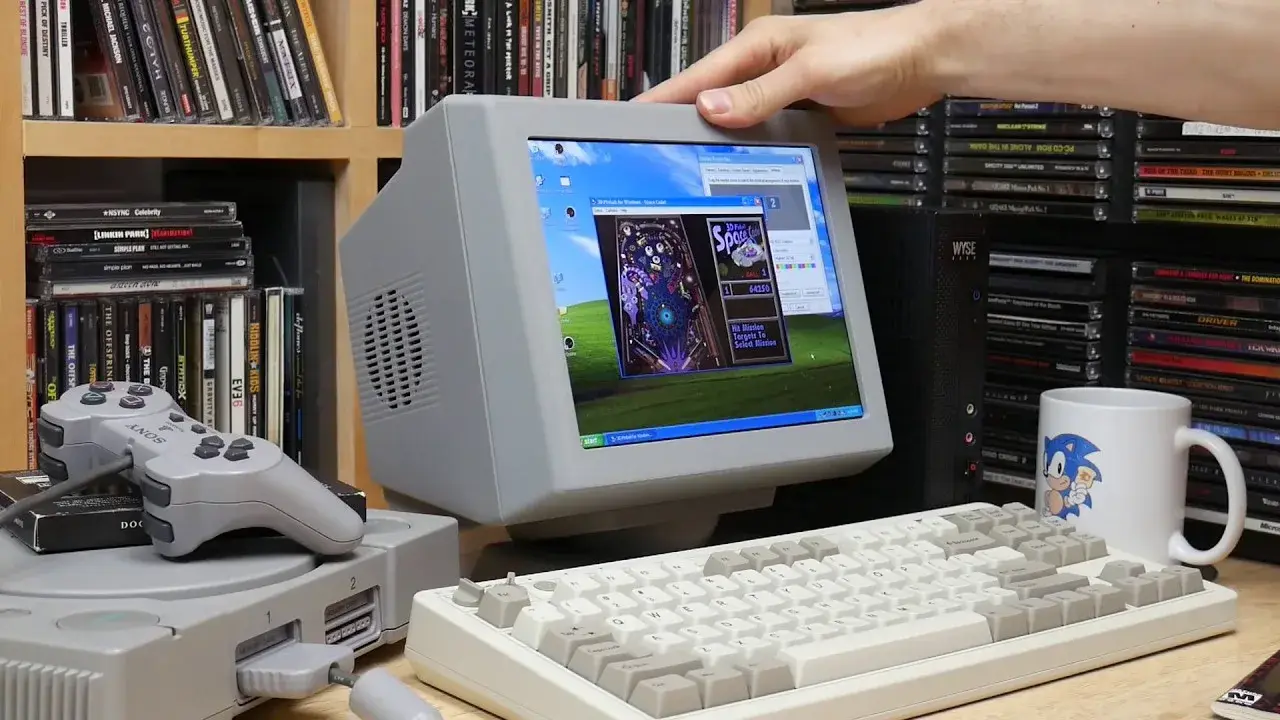
Ryan Bates had several old machines, several video standards and no desire to dedicate a display to each one. He folded the answer into a beige case roughly 25 centimetres wide: the PixelVision AV1000 MkII, built around an iPad panel and able to take HDMI, VGA, YPbPr, S-Video and composite.1
Coverage tends to call it a monitor that “takes everything”. By contrast, the parts behind the panel tell a more precise story: video conversion, power distribution, audio and mechanics have been integrated closely enough that a stack of subsystems behaves like one appliance.
Despite the tempting description, portability is barely part of the project. Bates calls it desktop-sized: 1.35kg, roughly 10W consumption and an external 12V/3A supply.1 With no battery or promise of mobile operation, the actual constraint is a desk where an Amiga, an old PC and an HDMI machine all need the same rectangle.
One panel
At the centre sits a replacement IPS panel for the iPad 3/4: 9.7 inches, 4:3, 2048 × 1536 and 264 pixels per inch.1
That choice explains part of the design: modern 16:9 displays suit current computers but often leave borders or awkward geometry around machines designed for 4:3, while the iPad panel provides a dense modern pixel grid in a shape much closer to old computer monitors and televisions.
The panel cannot accept four decades of video standards by itself. The repository adds five input families: HDMI, VGA, component YPbPr, S-Video and composite.1 Hackaday identifies the analogue multi-format conversion board in the rear bulge as a RetroTINK clone.3
The “universal monitor” makes more sense as an architecture in which each source begins in its own technical world and the separate paths converge on the same panel.
The back does it
From the front, PixelVision could almost pass for a small 1980s CRT, but the bulge on its back exposes the electronics required to create that apparent simplicity.
The space holds the video conversion board, LCD electronics and power distribution while leaving enough volume for Bates to suggest fitting an SBC there if someone wanted an all-in-one emulation setup.13
The published power PCB distributes the 12V input, handles switching and creates the required rails through 5V and 9V regulators plus an adjustable buck converter.4 Audio also follows this integration: a 3.5mm stereo path feeds a PAM8406 and two speakers, while an optional PCB can provide simple routing or be populated as a ground-loop isolator.15
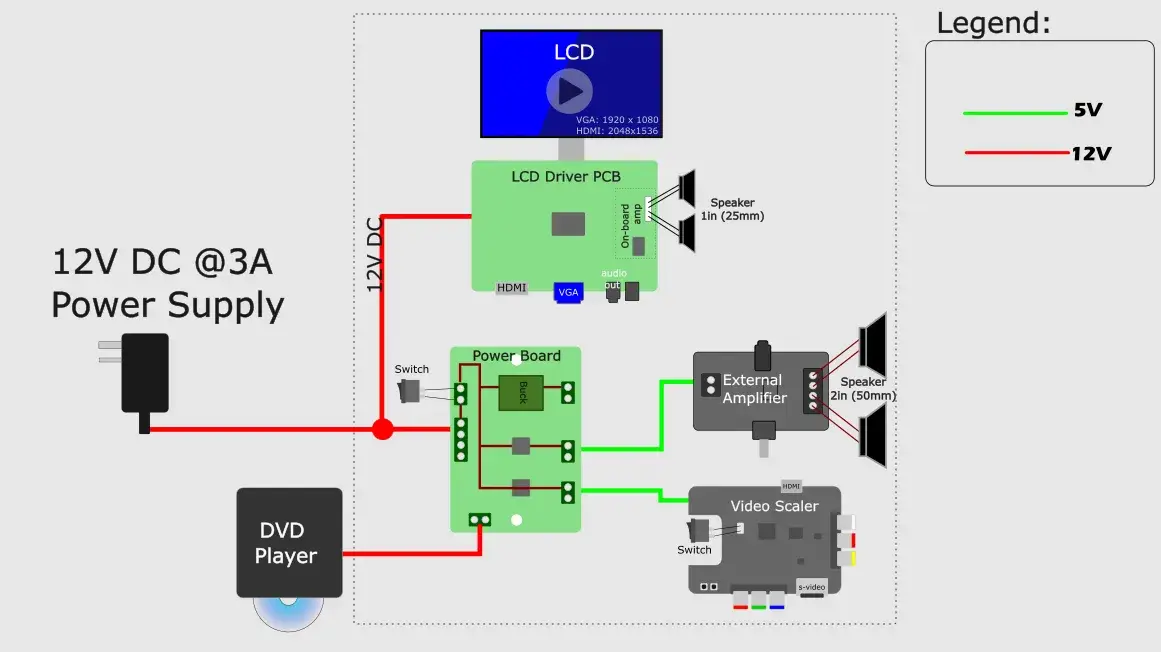
Such integration feels routine in a commercial product and much less inevitable in a personal build. The main function may already work with an external supply here, a converter there and several visible cables, but Bates keeps going until the routing itself becomes part of the object.
29.8 hours
The enclosure deserves as much attention as the electronics because manufacturing it imposed its own constraints instead of merely wrapping the boards.
The repository provides 3MF and STEP files for fifteen parts alongside KiCad PCB sources, and the documented build consumes 877g of PLA across 29.8 hours of printing.1 The rear body alone accounts for 416g and fourteen hours, a large share of the material and print time.
Hackaday highlights the FDM-oriented logic, in which the assembly is broken into pieces so highly visible surfaces can print flat against the bed and Bates redesigns parts whenever assembly proves unnecessarily difficult.3
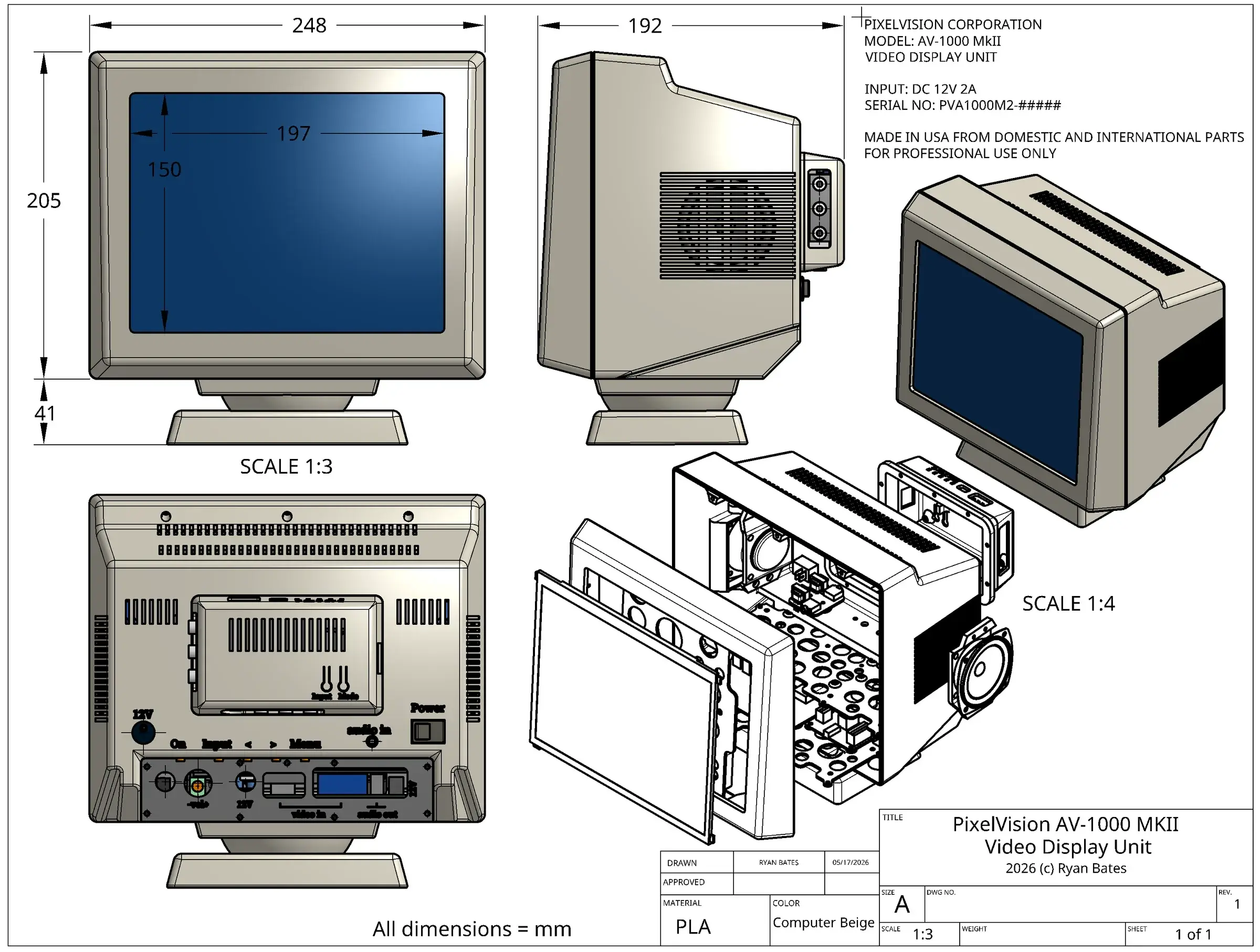
That changes the value of the project because a spectacular case that is miserable to print or screw together remains a demonstration. Here, the effort required for assembly becomes a design constraint in its own right.
The swivel base follows the same idea: styling draws from the Amiga 1000 monitor and a small tilting Sony CRT television, allowing the mechanism to preserve a compact silhouette while still changing the viewing angle.23
About $168
The README goes as far as publishing unit prices in its bill of materials, where the displayed total reaches $167.82.1
The number contains a charmingly real-world wrinkle: the table lists both a $12.94 main speaker pair and a $7.16 alternative, then adds both to the displayed total. Choosing the single pair that the build actually needs puts the listed parts at roughly $155 or $161 before shipping and tax.
That tiny inconsistency illustrates what a working BOM actually looks like: prices move, alternatives accumulate and the document behaves more like engineering notes than a retail price engraved in plastic.
The panel contributes $50.60 to the list, the scan-line converter $47.64 and the filament $17.54.1 Relative to the rest of the BOM, those three items explain most of the budget; amplification, power conversion, screws, cables, switches, feet and mechanics account for the remainder.
The tool boundary
PixelVision becomes interesting precisely because Bates does not need novelty from each individual part.
The panel comes from an iPad and the video-conversion board is an existing idea; regulators, amplifier and connectors are ordinary, as is the FDM process used for the enclosure. Even the visual language deliberately borrows from hardware several decades old.13
The invention instead sits in the boundary Bates draws around the product, which pulls converter, speakers, power distribution, swivel stand and input connectors inside the definition of the display rather than leaving them as accessories around it.
That step often goes missing in personal tools, where the primary function gets optimised while adapters remain outside the object and every new use therefore rebuilds part of the workstation.
PixelVision absorbs those small frictions until the result can sit on a desk, run from one supply and accept almost any machine in the collection without reconstructing the setup each time.
Its universality belongs less to the panel than to the integration of all those supporting parts, which is why this project works only if the adapters disappear inside the object.