A page that has never asked you for anything can still describe you before you click.
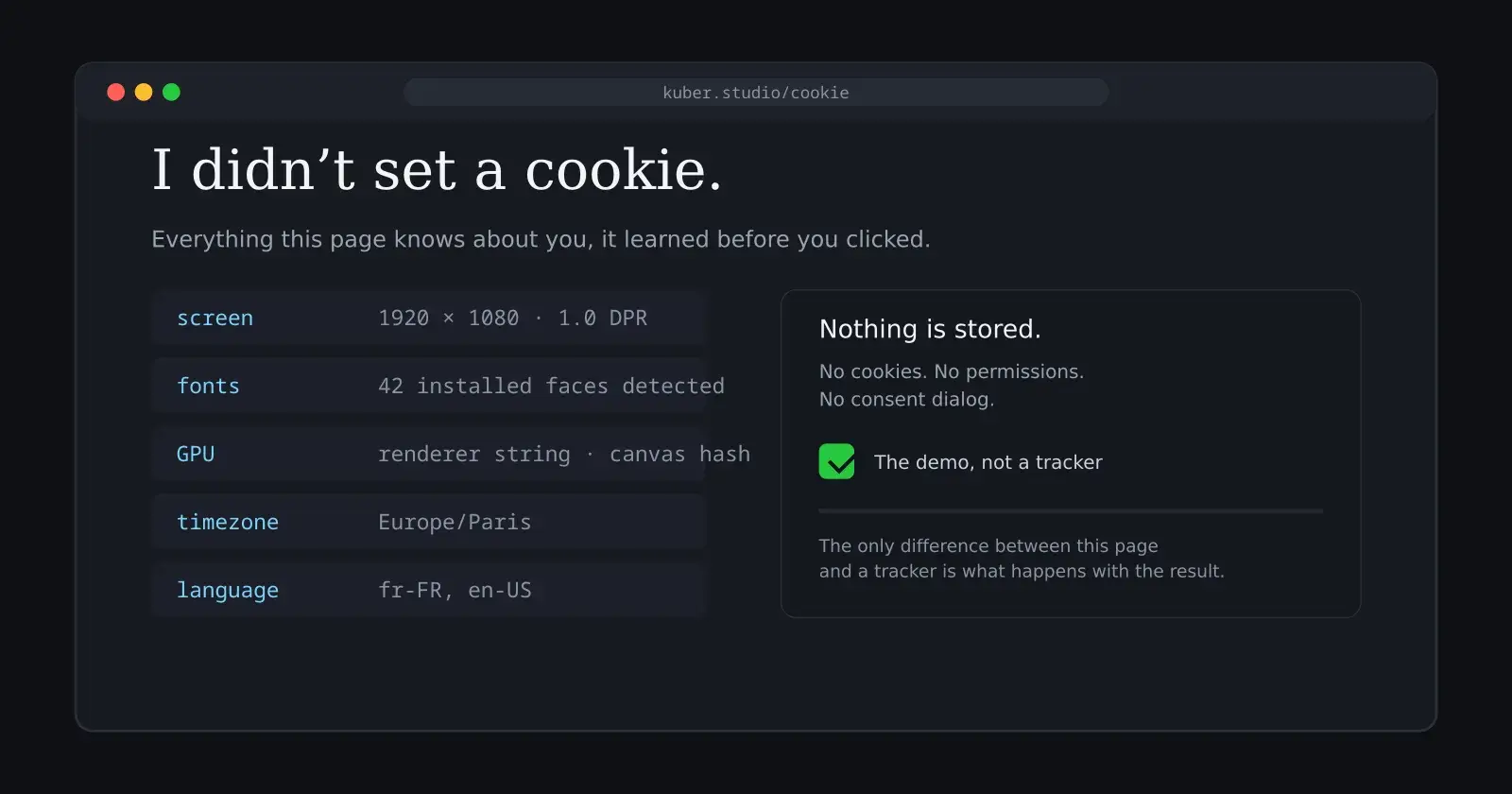
Kuber Mehta built exactly that page.1 It is titled “I didn’t set a cookie.” Open it and the browser is asked to draw images it never shows you, to render audio it never plays, to report the fonts it has installed, the screen it sits on, the language it prefers, the timezone it thinks it lives in. The page then tells you what it just learned about you. No cookies, no permissions, no consent dialog. Nothing is stored.1
The mechanism has a name: browser fingerprinting. It is the quiet machinery underneath a large part of how the web identifies people, and it deserves more attention than the cookie banner that got all the regulation.
Stateless identification
A cookie is a small file a site leaves on your machine so it can recognise you later. It is a stateful, visible, deletable object. Fingerprinting does the opposite: it asks the browser to describe itself, and it recognises you from the description alone.
The difference matters. A cookie is something a site does to you that you can find and delete. A fingerprint is something your browser is, and you cannot delete that.
Think of it as the difference between a name tag someone sticks on your jacket and a description of your face. One can be torn off. The other travels with you.
Mehta, a 19-year-old developer, summarised on LinkedIn what a page can assemble without any of the usual consent machinery: location, time, ISP, IP addresses, and signals that advertising systems care about.1 He calls it “a scary amount of fingerprinting”.
The demo does not store anything, which is worth taking seriously. It is a demonstration, not a tracker. But the techniques it uses are the same ones tracking companies use, and the only difference between the demo and a real tracker is what happens with the result.
The entropy sources
Every browser is slightly different, and the differences are the material of the fingerprint. A tracker collects a long list of signals and combines them into something close to unique.
The canvas is the classic source. A script draws a complex scene — text, shapes, gradients, shadows — on an off-screen canvas, then reads back the pixels. The result depends on the GPU, the driver, the font rendering, the operating system's anti-aliasing. Two machines that look identical on paper produce measurably different pixels. Hash those pixels and you have a stable, hard-to-fake identifier.7
WebGL extends the same idea into 3D. The rendering context exposes the GPU vendor, the renderer string, and the precise output of drawing operations, which differ across hardware and drivers.
Audio works similarly. The Web Audio API can be asked to process a short signal, and the floating-point output differs subtly from one audio stack to another. Hash it, and it joins the fingerprint.

Then come the softer signals. Installed fonts are detectable without any permission: a script renders a string of text in a fixed-width measurement and compares how much space each candidate font occupies, inferring which ones are present. Screen size, colour depth and device pixel ratio describe the display. Timezone and language describe the person more than the machine. Hardware concurrency and device memory reveal the processor class. The platform string names the operating system.
Each one is weak on its own. A timezone shared by millions of people, a screen size shared by a whole laptop model, a font list shared by everyone who installed the same software. But combined, the weak signals stop being weak. The entropy adds up, and the sum is what makes a browser identifiable.
There is a subtlety that makes the whole thing harder to fight. If your browser renders something wrong the same way every time — a specific glyph, a particular gradient — the mistake itself becomes part of your fingerprint. It is a recurring observation in the fingerprinting literature: the bug is as identifying as the feature. You cannot fix your way out of that, because the fix would make you look like everyone else, and that is precisely what the tracker does not want.
Uniqueness, briefly
The modern story begins in 2010, when the EFF's Peter Eckersley launched Panopticlick, a research project that tested how unique web browsers are. The first run collected around 470,000 fingerprints. The headline result, written up in How Unique Is Your Web Browser?, was that most browsers were effectively unique: 83.6 per cent of the fingerprints observed could be singled out, a figure that rose to 94.2 per cent when Flash or Java were enabled.3
That number is worth sitting with. Sixteen years of cookie banners later, the underlying arithmetic has not become friendlier. The web is full of people who believe they are anonymous because they clear their cookies, while the machine they use keeps describing them.
In 2012, Keaton Mowery and Hovav Shacham published Pixel Perfect: Fingerprinting Canvas in HTML5, the paper that turned the canvas into the best-known fingerprinting technique. They showed that the pixels a browser produces when asked to render text and shapes vary enough between machines to identify them reliably.4 The canvas turned out to be an unusually good source of entropy because it mixes the GPU, the driver and the font stack into a single image, and because the differences are hard to fake without rewriting the rendering engine.
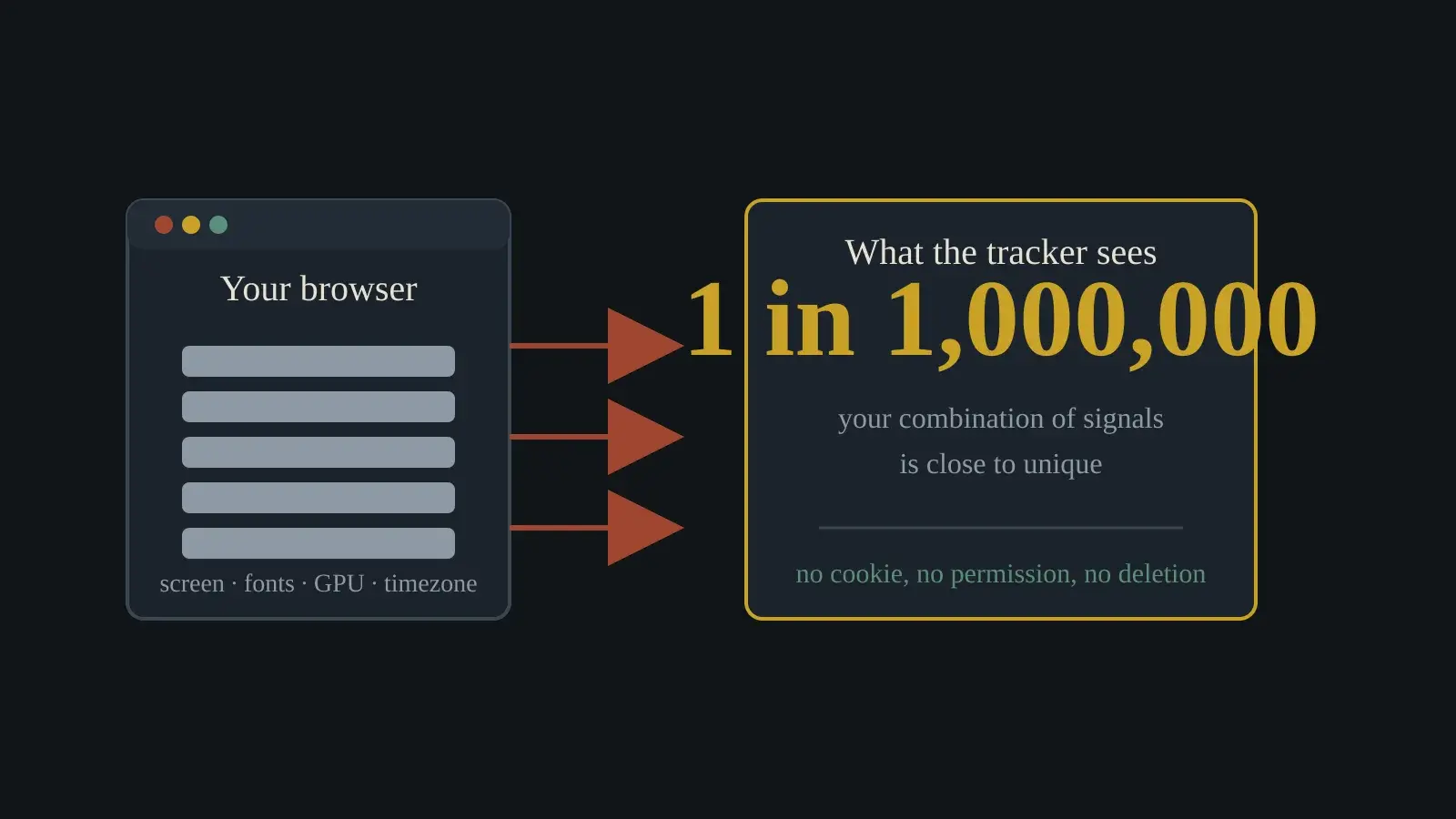
Since then the field has industrialised. Open-source libraries such as FingerprintJS collect dozens of attributes on the client and compute a hashed visitor identifier from them.5 The open-source version is reported to reach around 90 per cent uniqueness in independent comparisons; a commercial tier sells higher accuracy and stability.7 Research sites such as AmIUnique have kept measuring how much entropy a browser leaks, and the answer has stayed high.8
The interesting shift is not the accuracy. It is that fingerprinting went from an academic curiosity to a product category, sold to anti-fraud teams, streaming services and advertising systems, all while remaining invisible to the person being identified.
The waiting replacement
There is a second, less told history running parallel to the regulation story: the browsers themselves killed the cookie, and the tracking industry reacted by leaning harder on the fingerprint.
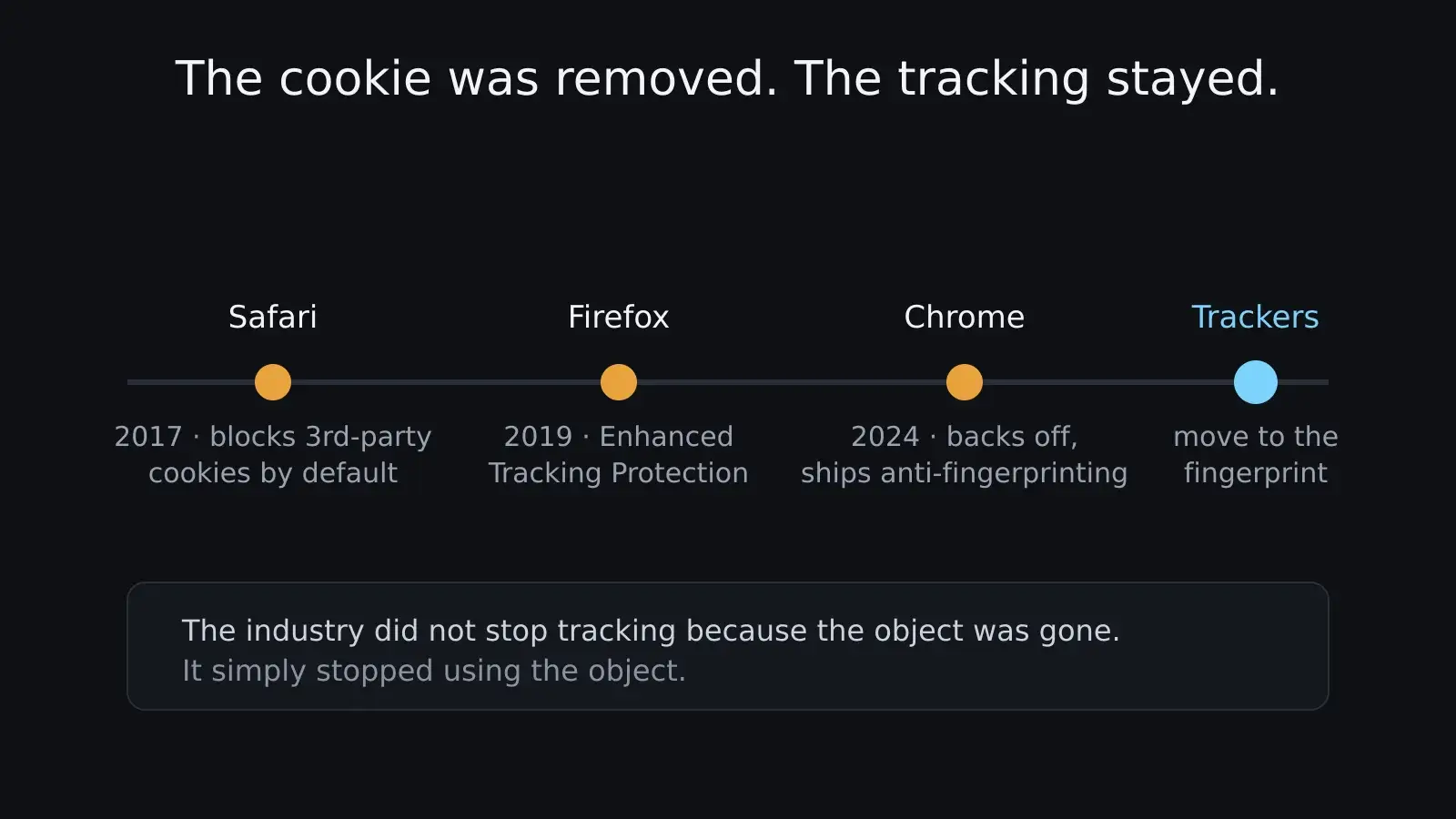
Apple’s Safari began blocking third-party cookies by default in 2017, under the banner of Intelligent Tracking Prevention. Firefox followed with Enhanced Tracking Protection in 2019. Between them, the two browsers covered a large share of the market, and the advertising industry — which had built cross-site tracking on the third-party cookie — needed a replacement.
Google’s Chrome was the last holdout, and its story is the strangest of all. For years the company promised to phase out third-party cookies, building a replacement it called the Privacy Sandbox. Then, in 2024, it announced it would not deprecate them after all, while simultaneously pushing anti-fingerprinting measures and limiting what it called insecure cross-site tracking.11
The outcome, privacy teams keep pointing out, is a web where the old tracking object is being removed but the workarounds are multiplying. Industry guides now list fingerprinting and other “workarounds” as the practical alternatives to the cookie.11 The cookie, the most visible and most regulated tracking technology, is being replaced by the least visible one.
This is the deeper version of the paradox. It was not only the law that pushed tracking underground. It was the browsers, responding to users, removing the object that everyone could see and delete. The industry did not stop tracking because the object was gone. It simply stopped using the object.
The fingerprint’s uses
It is easy to talk about fingerprinting as if it were only a surveillance tool. It is also a working technology, and pretending otherwise makes the debate dishonest.
Fraud prevention is the biggest legitimate use. Banks, payment processors and e-commerce sites use device identification to spot fraudsters and stop them from coming back under a new account.10 If a stolen card starts being used from a device that has never been seen before, a fingerprint can flag the transaction before it completes.
Streaming services use the same idea to enforce device limits — a fingerprint can tell a service that this is the same household's fourth screen, even after cookies are cleared. Account security teams use it to detect login anomalies. Some sites use it for the much more mundane job of remembering your preferences when you have cleared your cookies, without forcing you to log in again.10
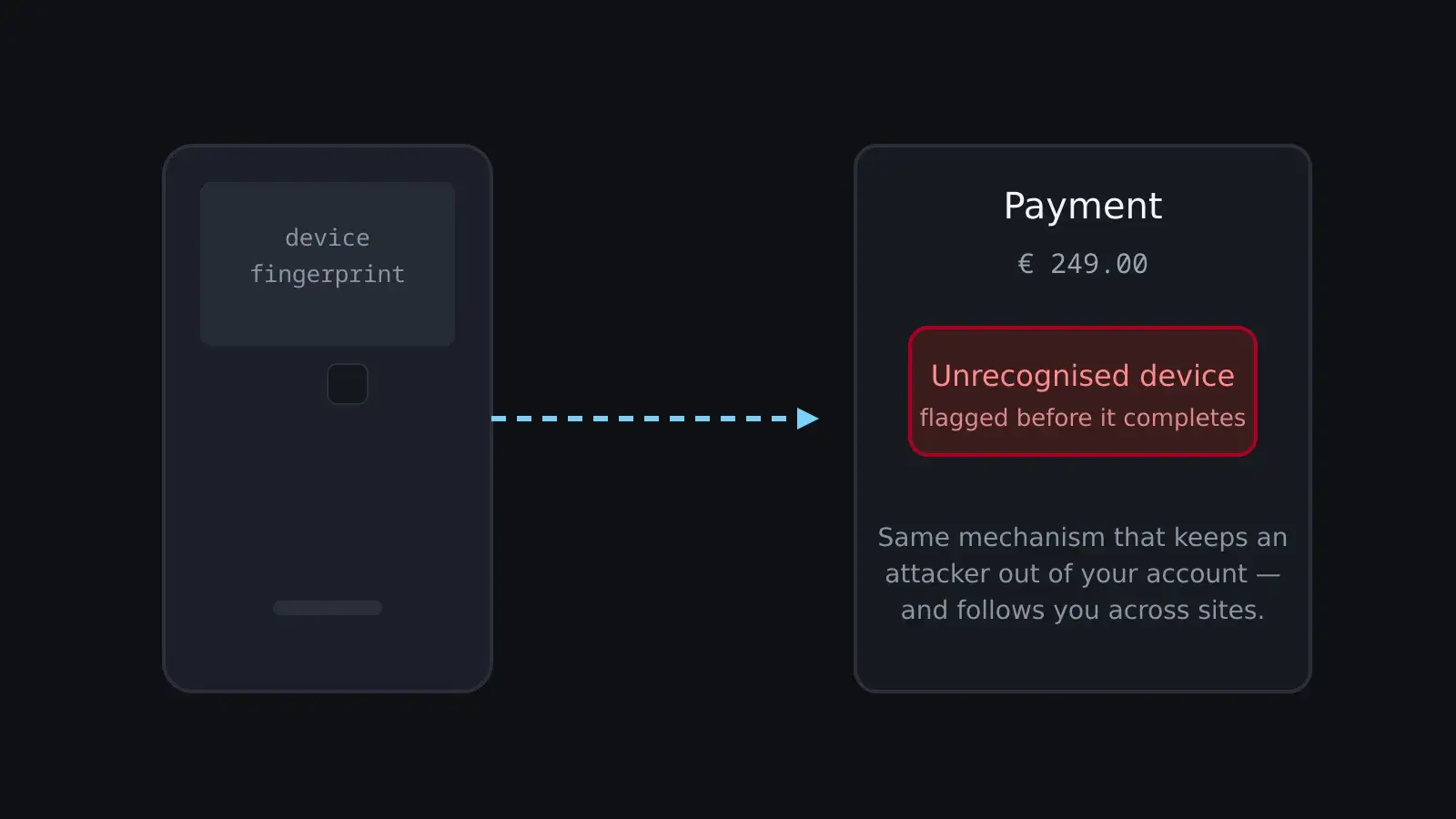
None of this makes fingerprinting good or bad. It makes it used, everywhere, by people with very different motives. The same mechanism that keeps an attacker out of your bank account is the one that lets an advertising network follow you across sites you have never visited twice. The technology does not know which job it is doing; the person deploying it decides.
That is the uncomfortable part. You cannot simply ban fingerprinting without also breaking the fraud protection you probably want. You can regulate how it is used — and that is where the law has been slow.
The cookie-banner paradox
This is where the regulation story gets strange.
European privacy law made cookies visible. The ePrivacy directive and the GDPR forced sites to ask for consent before setting non-essential cookies, which is why you now click through a banner on nearly every site you visit. The banner is the law's most visible achievement: a tiny ritual of consent repeated thousands of times a year.
Fingerprinting is stateless and invisible-by-design. It does not store a file, so it does not trigger the same consent flow. A page can fingerprint you in the same breath that it asks permission to set a cookie, and the two things are governed by very different rules.6
The legal position is actually more interesting than the banner ritual suggests. Where fingerprinting is used to track people, it constitutes processing of personal data and is covered by the GDPR.9 Regulators have said that consent is the appropriate basis for non-essential fingerprinting, and that it falls under the same ePrivacy consent requirement as cookies. In principle, the banner should cover the fingerprint too.
The problem is the gap between principle and practice. A fingerprint is collected before any banner is shown, in the milliseconds it takes a page to load. It is invisible to the user and hard to detect from the outside. Consent boxes ask about cookies; the fingerprint slips through because no one can see it being taken. Regulators have been slow to chase a technique that leaves no file behind.
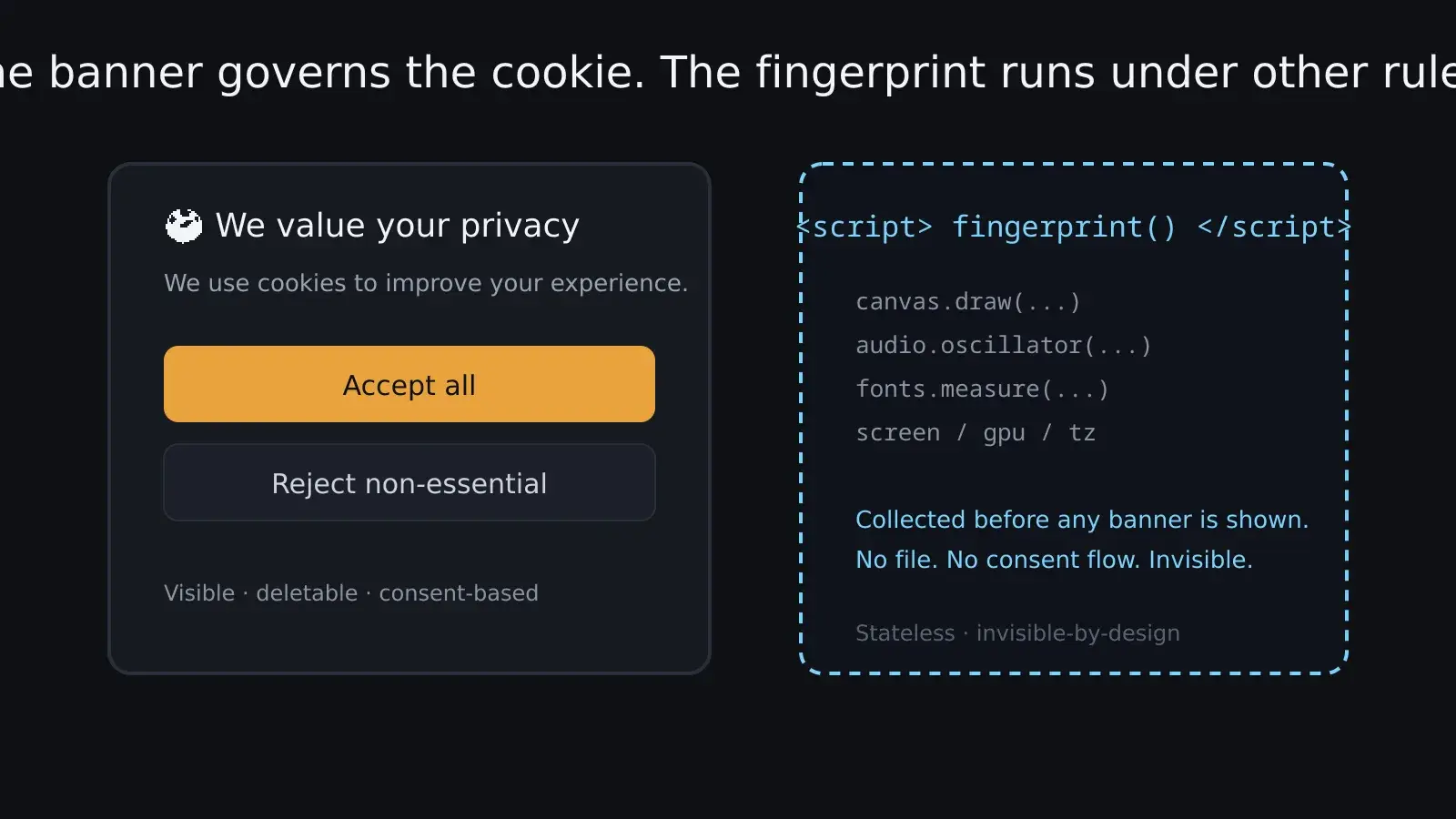
None of this is a conspiracy. It is what happens when a law is written around a specific technical object and the ecosystem quietly moves to a different one. The banner is not useless — it made consent real for the technologies it covers. But it covers a shrinking share of the identification happening on the web.
The arms race
Fingerprinting is not a one-way street. Browsers have spent years trying to make their users harder to finger, and the result is an arms race with a strange shape.
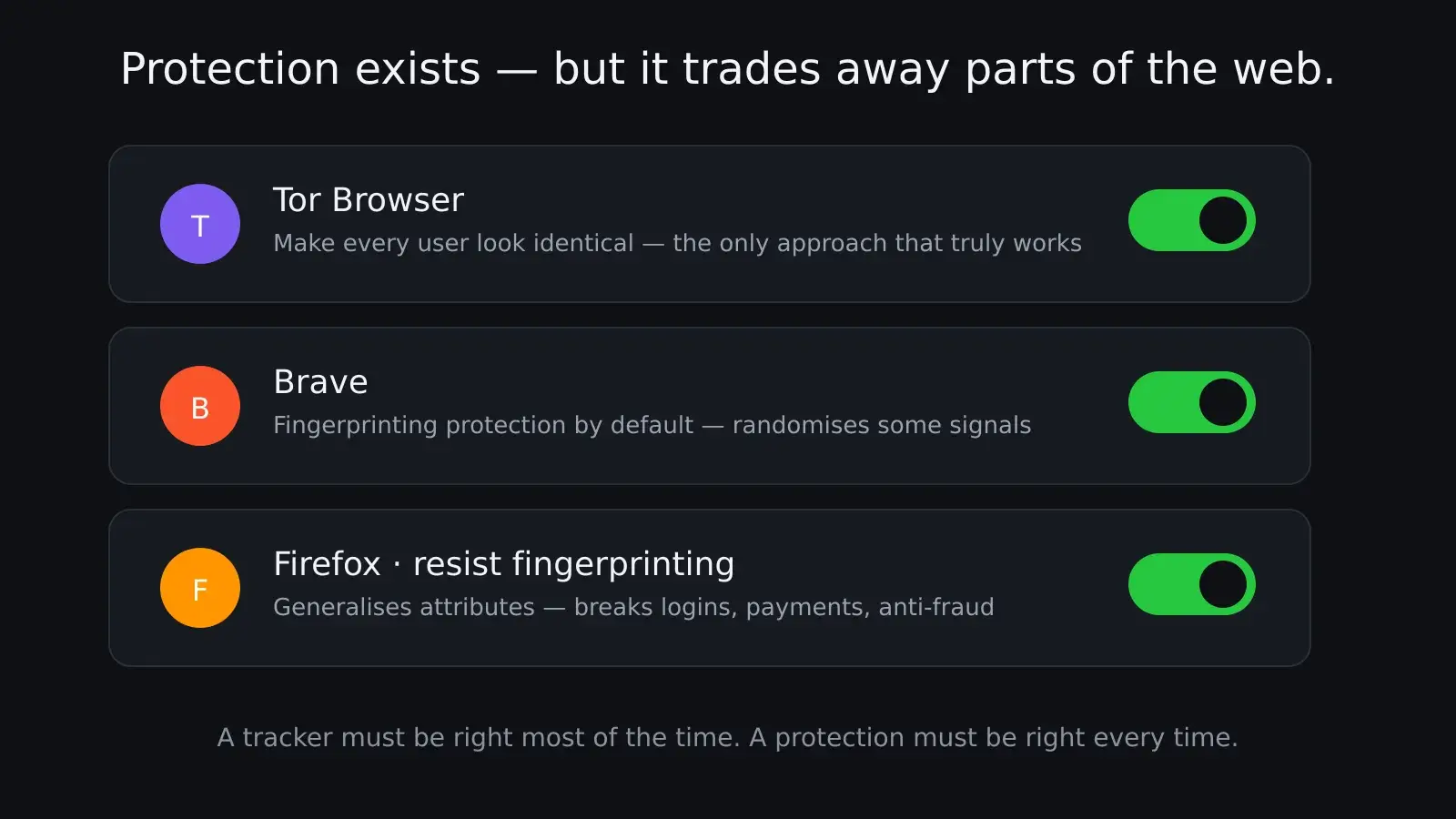
Tor Browser is the most aggressive: it tries to make every Tor user look identical, so that no individual stands out from the crowd. Brave ships fingerprinting protection by default, randomising or spoofing some signals. Firefox has a “resist fingerprinting” mode that generalises many attributes. The EFF's Cover Your Tracks lets you test how well your browser holds up.2
The cost of these protections is real. Making every Tor user look identical means breaking parts of the web — sites that rely on precise canvas rendering, fonts or screen geometry behave oddly. Randomising signals can break logins, payments and anti-fraud systems, which is exactly why some of those systems use fingerprinting in the first place. You are choosing between being identifiable and being slightly broken.
You can see your own place in this arms race in about a minute. Cover Your Tracks will tell you how unique your browser looks to a tracker, and AmIUnique will show you the raw signals it collected from you.8 The experience is oddly personal: a page you have never visited before knows your screen, your fonts, your GPU, your timezone, and it will tell you how close that combination comes to being unique. Most people are surprised by the answer.
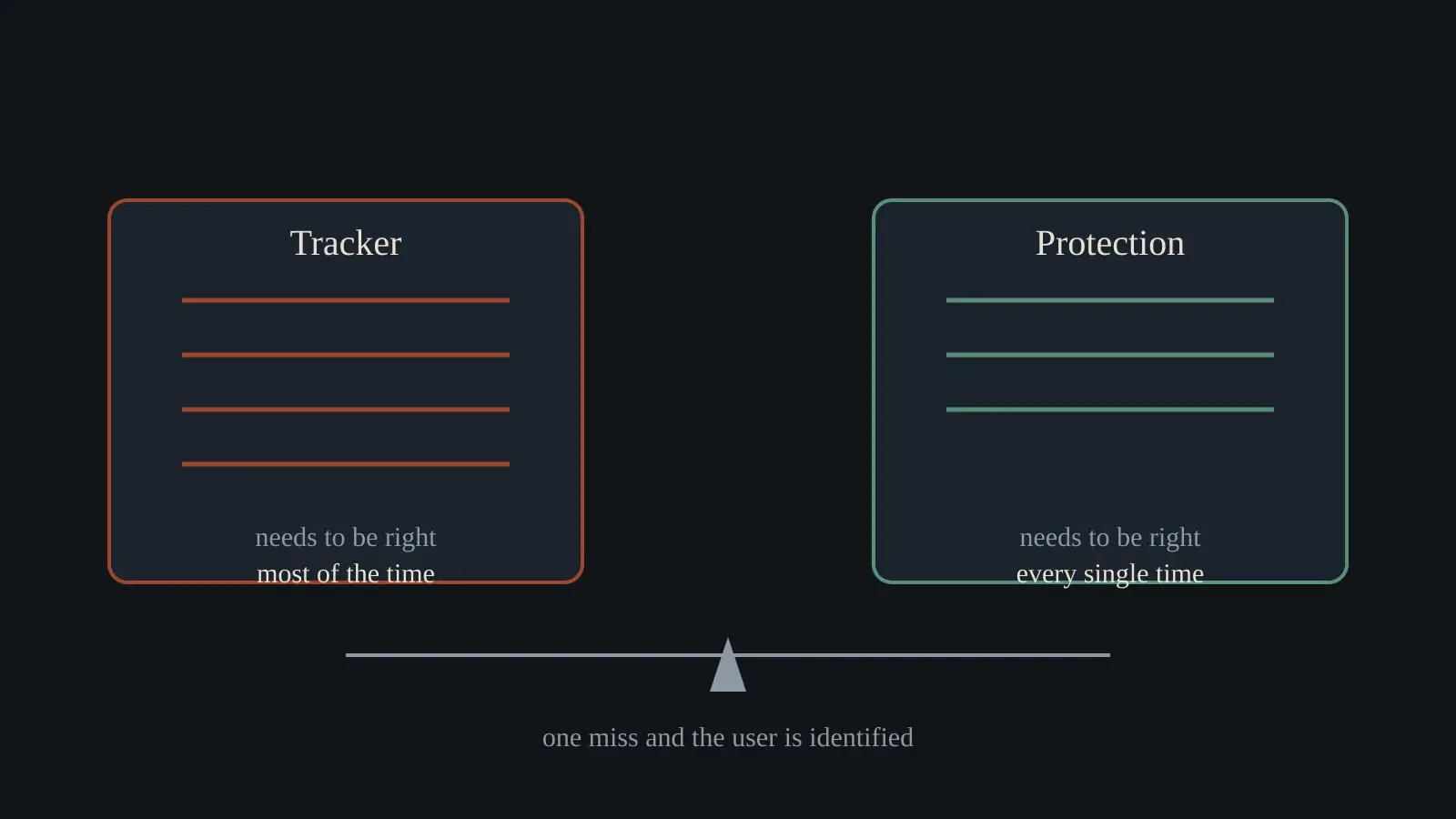
And the arms race is not symmetric. A tracker needs to be right most of the time; a protection needs to be right every time. The tracker can update its methods continuously; the user depends on browser updates. When a browser adds a new protection, trackers adapt; when a tracker adapts, the browser ships another patch. The user is rarely the one setting the pace.
There is a deeper asymmetry worth naming. A protection that randomises your signals makes you less stable, which is exactly what breaks fraud detection and logins. A protection that makes everyone identical — the Tor approach — is the only one that truly works, and it is the one that costs the most in usability. The middle ground, where most people live, is a browser that leaks just enough to be identified.
Builders choose too
For anyone who builds a website, fingerprinting is not an abstract threat. It is a decision you make, often without deciding.
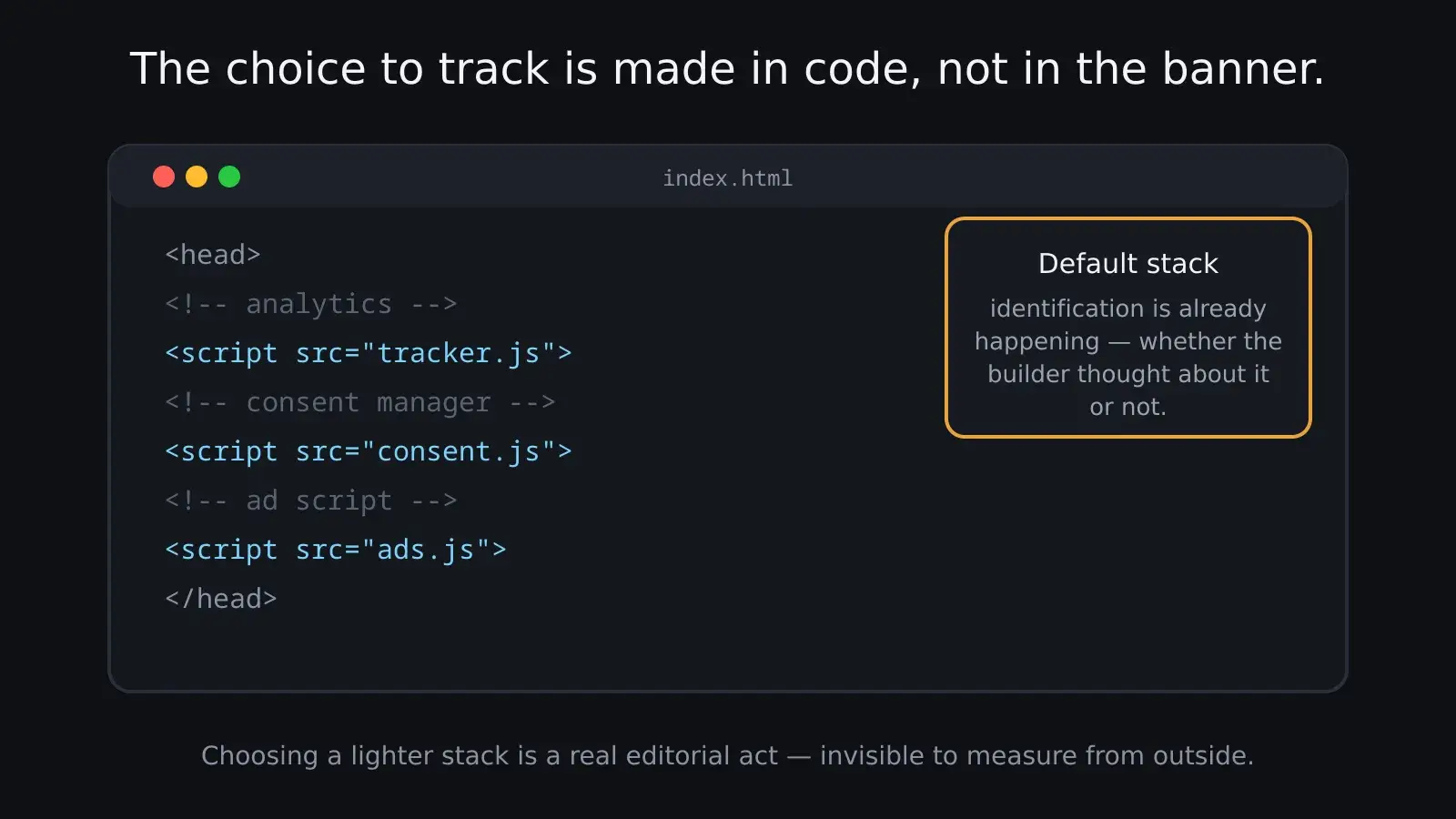
The default stack of the modern web — analytics, advertising, anti-fraud, personalisation — leans on identification. Some of that identification is fingerprinting. Choosing a lighter stack, or a privacy-respecting analytics tool, is a real editorial choice about what your site knows about its visitors. The cookie banner has made consent a visible part of building a site; the fingerprint is the part that stays quiet.
There is also a genuine trade-off worth naming, and it is the same one as above but from the builder's side. Fingerprinting is used for fraud prevention and account security, not only for advertising. Some of the same techniques that track you are the ones that keep an attacker from taking over your account. A world without fingerprinting is not automatically a better one; it is a world with a different balance of risks. The honest position is to say what is being traded, and to make the choice visible instead of letting the default stack make it silently.
For most sites the decision is already made by the template they installed. Drop in the standard analytics snippet, the standard consent tool, the standard ad script, and identification is happening whether or not the person who built the site thought about it. That is worth stating plainly: a large share of the fingerprinting on the web is not a deliberate strategy. It is the default behaviour of the most common building blocks. Choosing differently — a cookieless analytics tool, a consent flow that actually covers fingerprinting, or simply fewer third-party scripts — is a real editorial act, and it is invisible to measure from the outside.
Breaking the machinery
The honest answer to “how do we fix fingerprinting” has two parts, one technical and one legal, and neither is close.
The technical fix is to make browsers stop exposing the entropy. Browsers have already moved in this direction by hardening some signals — Firefox’s resist-fingerprinting mode, Brave’s default protections, Chrome’s anti-fingerprinting measures — but they cannot go all the way without breaking the web. A browser that refuses to reveal its fonts, its canvas output or its GPU would make a huge part of the web render badly, and no browser vendor can ship that as a default.2 The technical fix is therefore always partial, and always in tension with compatibility.
The legal fix is to treat identification by any means as equally worthy of consent. Regulators have already said that fingerprinting for tracking is personal data processing under the GDPR, and that non-essential fingerprinting needs consent like a cookie does.9 The gap is enforcement: a technique that leaves no file behind is hard to detect, hard to attribute and hard to prove in a complaint. The law has the right words; it lacks the inspection tool.
There is a third possibility, less discussed, which is that the industry finds a tracking method that is both less invasive and more durable, and stops needing the fingerprint. The Privacy Sandbox and similar proposals are attempts at this: advertising that works without following an individual across sites. Whether they are a genuine improvement or a different kind of tracking is still being argued. What matters for this story is that they exist because the fingerprint is not a good long-term answer for anyone — it is just the one that works today.
The craft angle is worth dwelling on, because it is the most IRZ-shaped part of the story. Identification on the web is made. It is a set of techniques built by people: scripts that draw invisible images, measure fonts, hash audio. It has history, trade-offs, an arms race, and a community of people who build both sides of it. Treating it as an abstract “privacy issue” misses how concrete it is. The demo page works because it shows the craft: here is the canvas, here is the audio, here is what they reveal. Once you have seen how it is made, it stops being magic.
The self-explaining page
The most useful thing about Mehta's demo is that it is honest about what it does. It tells you it learned about you, and it tells you it stored nothing. That is more transparency than the average tracker offers, and it is why the page works as an explanation.
The next time you decline a cookie banner and feel briefly free, remember the machine you are using has already described itself to the page — before you clicked anything. The banner was never the whole conversation. It was just the part that got a seat at the table.
The fingerprint is the rest of the conversation, still happening in a language the law has not learned to speak.